

Clock Card's promise is that every total matches a hand calculation. This page says exactly how a shift becomes a sum of money.
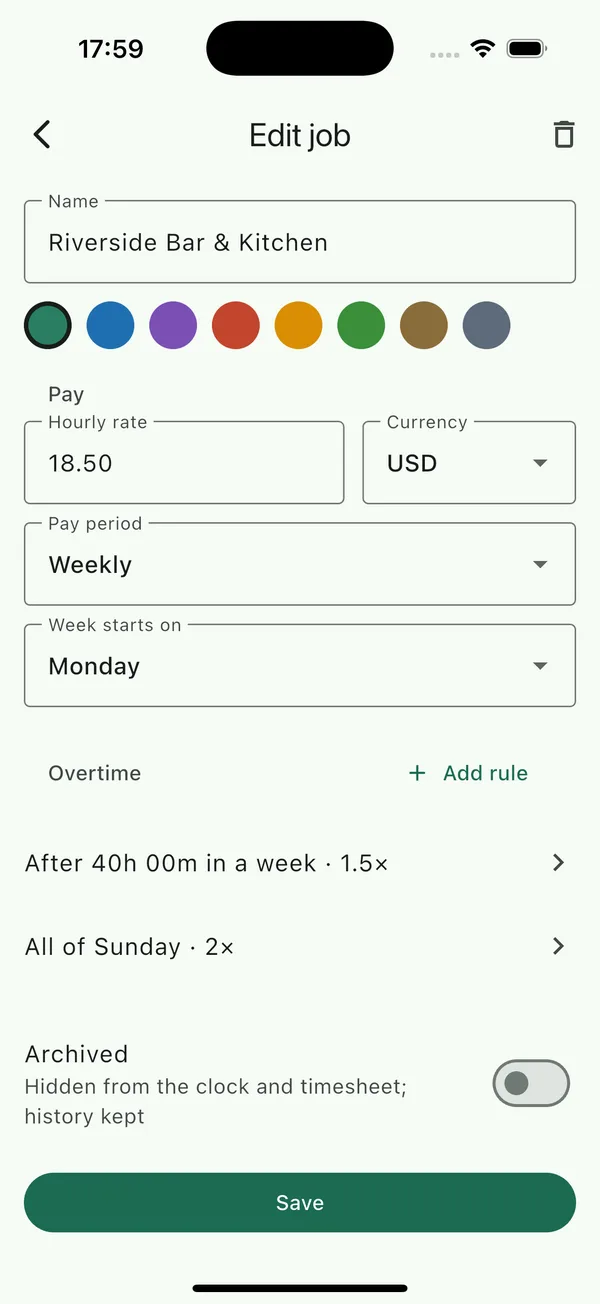
The hourly rate
Each job has one hourly rate at any given date, set under Jobs › the job › Pay. Until a job has a rate, the Clock tab and timesheet show hours but a dash for pay, with a Set an hourly rate to see pay link.
Changing the rate
- Open the job and type the new rate under Hourly rate.
- Tap Save. The app asks New rate applies from and shows a calendar.
- Pick the first day the new rate is paid, for example the start of the pay period your raise took effect.
Shifts before that date keep the old rate, and shifts from that date use the new one, so the timesheet for last month still matches last month's payslip. Every past rate is listed under Rate history in the job editor, where a wrong entry can be removed with its ×.
How a shift is priced
- The shift's span, minus its unpaid breaks, gives its paid minutes.
- The overtime rules decide which of those minutes are paid at a multiplier and which at the plain rate; see Overtime rules.
- Plain minutes × rate ÷ 60, plus overtime minutes × rate × multiplier ÷ 60, gives the shift's pay.
- That figure is rounded once, to the nearest penny or cent, halves rounding up.
Period totals, day totals, the CSV and the PDF all add up those rounded shifts. Nothing is rounded a second time, so a column of shifts always sums to the total printed under it.
A worked example
A shift from 09:00 to 17:30 with a 30-minute unpaid break is 8 hours paid. At £12.50 an hour with no overtime rules that is 8 × 12.50 = £100.00. With a daily rule of 1.5× after 8 hours and no break instead, the shift is 8.5 hours: 8 × 12.50 = £100.00 plus 0.5 × 12.50 × 1.5 = £9.375, rounded to £9.38, so £109.38.
Currencies
Each job has a currency, chosen when the job is created and changeable in the job editor. Settings › Currency for new jobs sets the default for the next job you add. Currencies without minor units, such as the yen, are rounded to whole units.