


Geo Currency
Live exchange rates for travellers
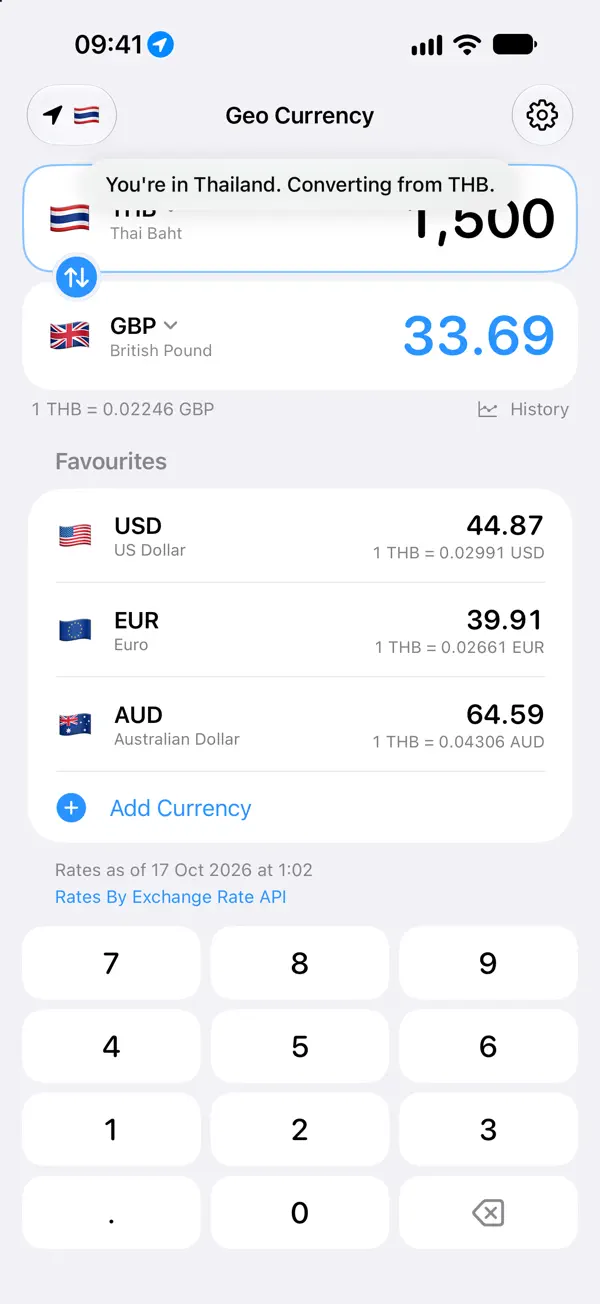
Geo Currency converts money the moment you land. Turn on travel mode and it notices when you arrive in a new country, switches to the local currency and converts it into the money you think in at home.

Geo Currency screenshots
Geo Currency features
Convert in a tap
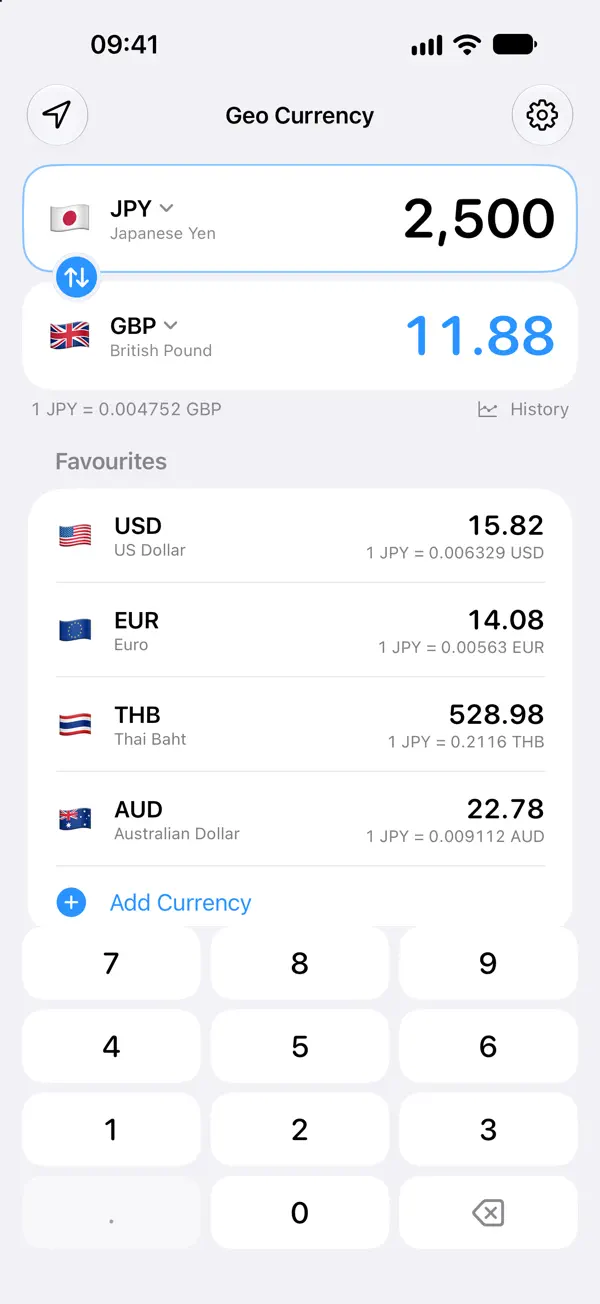
- A big, fast keypad that uses your own decimal separator
- Swap the pair in one tap and see the rate both ways
- Amounts use each currency's real decimals
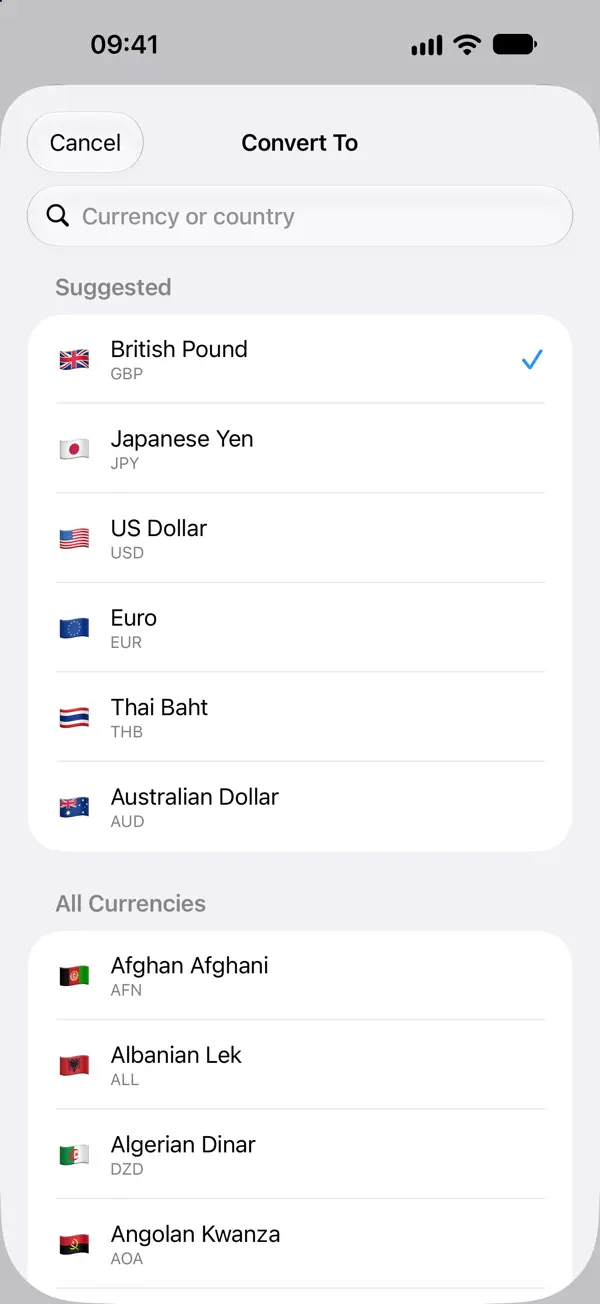
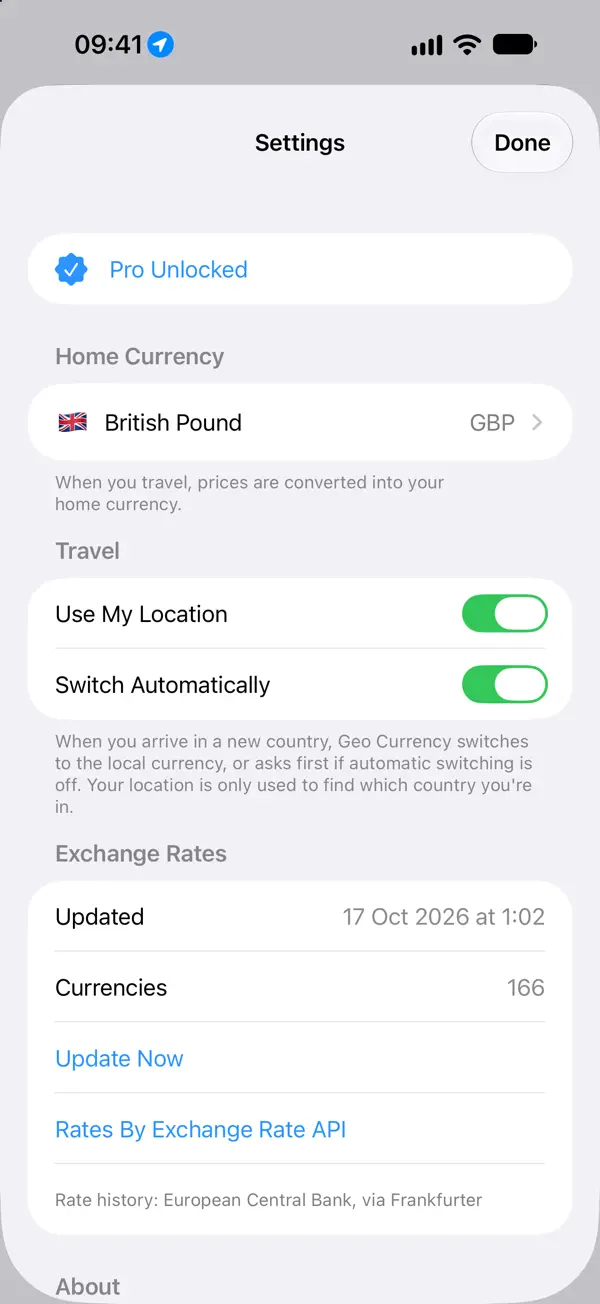
166 currencies, online or off
- Rates refresh automatically and always show when they were published
- Works offline, with your last download kept on your device
- Search by currency name, code or country
Travel mode
- Optional and private: your location is only used to work out which country you're in
- Switches automatically, or asks first if you prefer
- Set your home currency once and every price is shown in money you understand
Geo Currency Pro
- Home Screen and Lock Screen widgets with today's rate at a glance
- Unlimited favourites
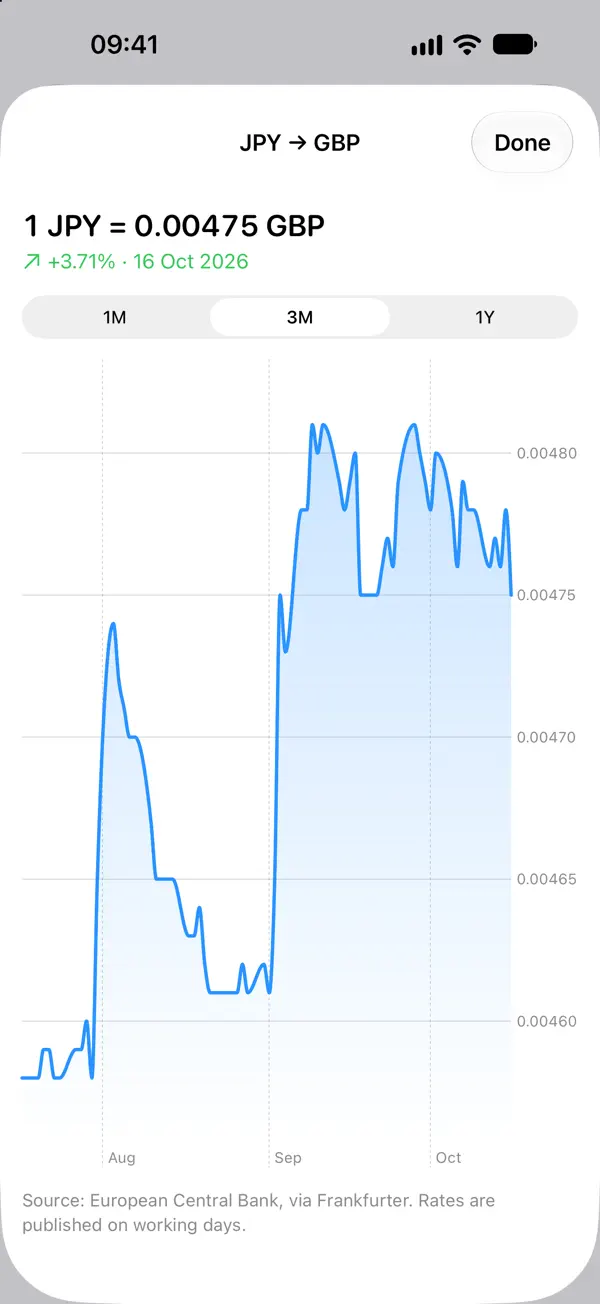
- Rate history charts for the last month, three months or year
Geo Currency pricing
Converting is always free, with no ads. Geo Currency Pro is a one-time purchase, not a subscription.
Exchange rates are for information only. Check with your bank or card provider before making a financial decision.
Geo Currency questions
How does Geo Currency’s travel mode work?
Turn on travel mode and Geo Currency notices when you arrive in a new country, switches to the local currency and converts it into your home currency. It can switch automatically or ask first. Your location is only used to work out which country you’re in.
Does Geo Currency work offline?
Yes. Your last download of rates stays on your device, and a built-in European Central Bank snapshot covers a first launch with no connection.
How many currencies does Geo Currency support?
166 currencies, which you can search by currency name, code or country.
Is Geo Currency free?
Converting is always free, with no ads. Geo Currency Pro is a one-time purchase, not a subscription, that adds widgets, unlimited favourites and rate history charts.
Can I convert currency with Siri?
Yes. The Convert Currency shortcut works with Siri and Shortcuts without opening the app.